Changelog, October 9
Everything new on trongate.cloud in one place: upgrades as pull requests, live traffic, a Mail tab, sturdier configs, deploys that undo themselves, a Database tab and more.
The first stretch of trongate.cloud, in one list. The newest changes come first.
One step for you: if you want Trongate upgrades as pull requests, accept the GitHub app's new permissions once. The steps are below.
Trongate upgrades as pull requests #
Moving an app to a newer Trongate used to mean copying framework files by hand. Now a v2 app has an Upgrade tab with a Check for an upgrade button. The tab follows the check live while it runs.
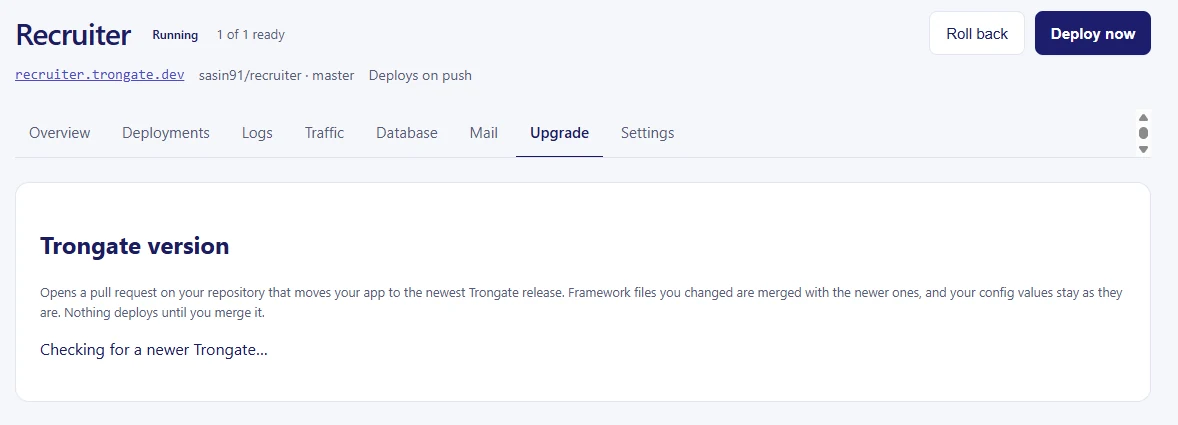
It works out which release your app is on and opens a pull request on your repository, on a trongate-upgrade/ branch, that moves it to the newest Trongate v2 release:
- Framework files you never touched take the newer copy.
- Files only you changed stay as they are.
- Files you and Trongate both changed are merged. Where the changes overlap, the pull request lists the file under Resolve before merging.
- Your own modules are never read or changed.
- New settings in
config/are added, and every value you set stays. - SQL that the new release adds is listed under Import into your database. Run it in your app's Database tab.
Every change comes from fixed rules, so the same app and release always give the same pull request. Nothing deploys until you merge it. Upgrades from Trongate v1 to v2 are not covered.
Accept the new GitHub permissions #
To open these pull requests, the trongate.cloud GitHub app now asks for two more permissions on the repositories you gave it: Contents: Read and write and Pull requests: Read and write. GitHub doesn't grant new permissions on its own. Whoever installed the app has to accept them once. Until then, deploys keep working as before, and Check for an upgrade says the permissions are missing.
On a personal account:
- Open GitHub and go to Settings, then Applications, then the Installed GitHub Apps tab.
- Find trongate.cloud and click Configure.
- Click Review request in the banner at the top and then Accept new permissions.
On an organization, an owner of the organization does the same from the organization's Settings, then GitHub Apps, then Configure next to trongate.cloud.
GitHub also emails a link to the same page. Deploys still only ever read your code. The write access is used for the upgrade pull request and nothing else.
Mail tab #
Mail your app sends with Trongate's email module now lands in a Mail tab instead of going out, so you can see exactly what your users would get. Open a message to see the HTML, the plain text and the source, or download it as .eml.
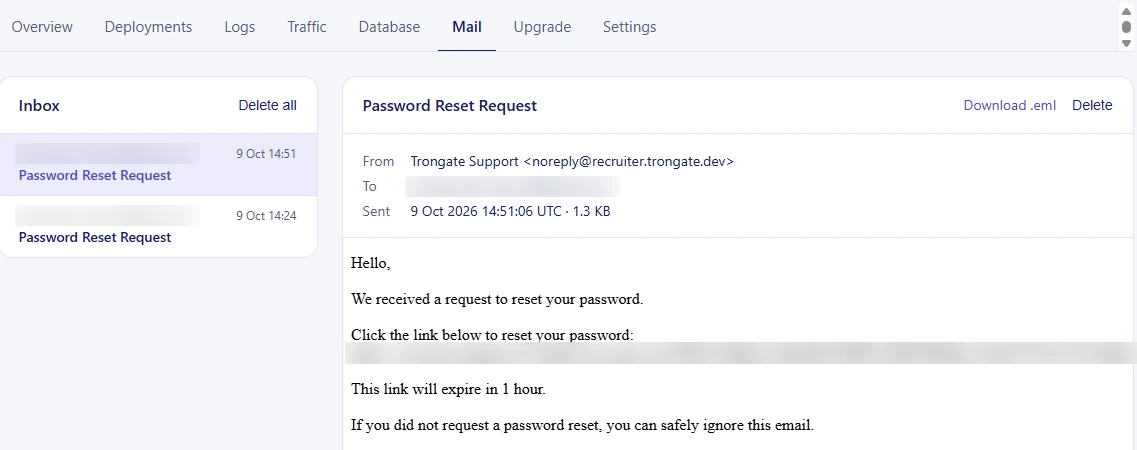
It's on for every app. We set the SMTP settings in config/trongate_email.php on each deploy, and your own smtp_user stays as the From address. Mail is kept for seven days, up to 200 messages per app.
To send real mail through your own provider, turn Capture mail off on the Settings page and put your SMTP settings in that file (port 587 or 465).
Live traffic #
Each app has a Traffic tab, and each project a Traffic page for all its apps. It shows the last five minutes of requests and every new one while the page is open: requests per minute, the share of server errors, median and p95 response times, bytes sent, and a chart.
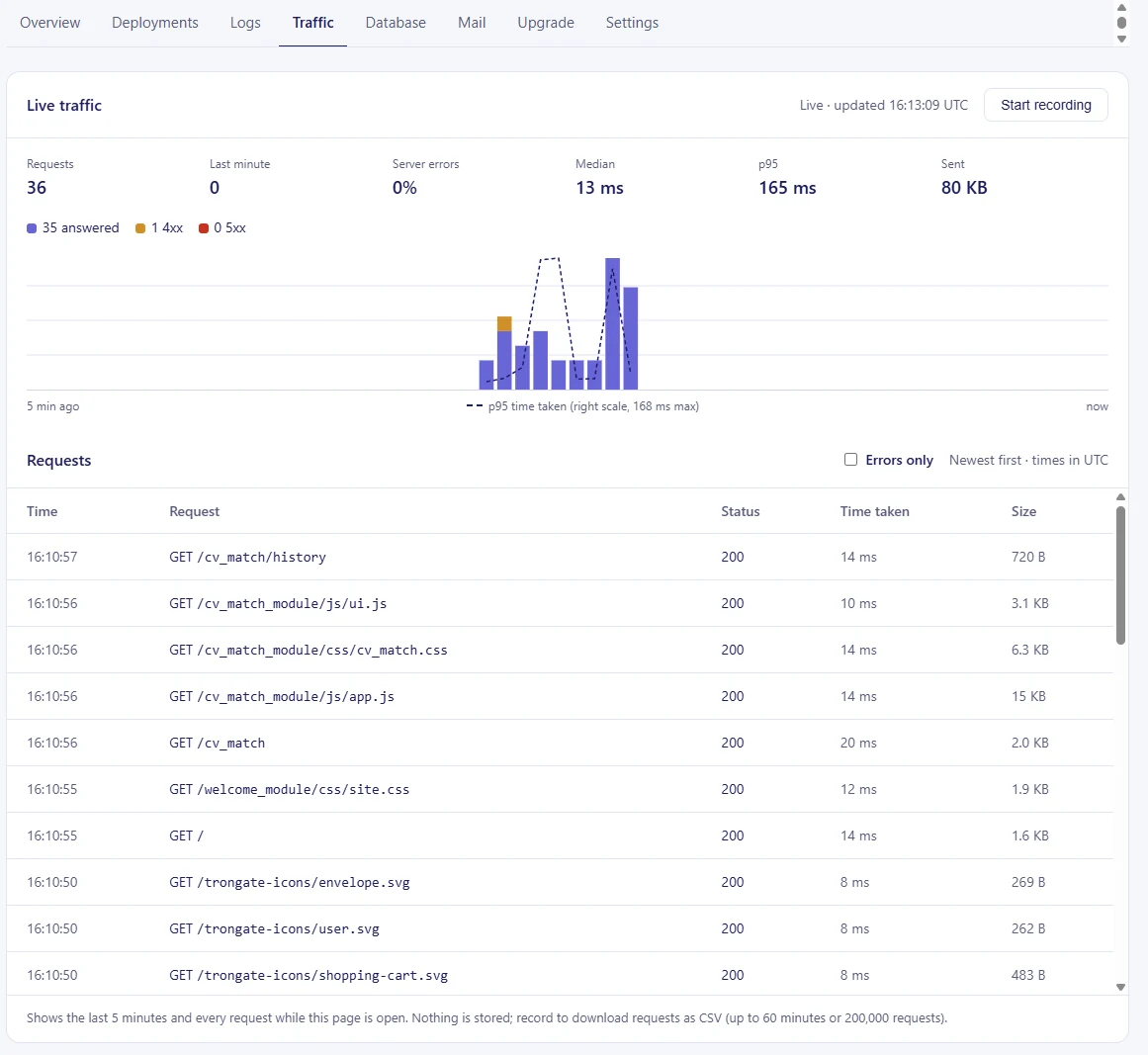
Nothing is stored. Press Start recording to download the requests as CSV, for up to 60 minutes or 200,000 requests.
Config files, read as PHP #
Every deploy sets a few values in your config/*.php: your app's address, its ENV, its database connection and now its mail settings. We used to find those lines by matching text. That broke on configs laid out a little differently from the stock ones.
Now we read the files the way PHP does. We change only the values we own, wherever and however they are written, and leave every other line as you wrote it. A value that isn't there gets added. Your own config/database.php stays yours, with the connection filled in.
If a config file can't be read, the deploy stops before anything changes and shows a Deploy failed card with the file, the line and the reason. Depending on the cause, it links to that line on GitHub so you can fix it and push, or offers a Deploy button to try again.

Rollbacks reuse the exact config they were built with. Deploys made before this change can't be rolled back to, so deploy each app once to get a fresh starting point.
When we change what goes into your config, as with mail capture today, running apps are deployed again on the same commit so they pick it up.
Deploys that undo themselves #
When a new build starts, your current version keeps serving. The new one only takes traffic once its home page answers. If it never does, your visitors never see it.
Once the new version is live, we load your app's address the way a visitor would and expect a real page back from your app. If the check fails, we put the last passing deploy back automatically. Nobody has to wake up for it.
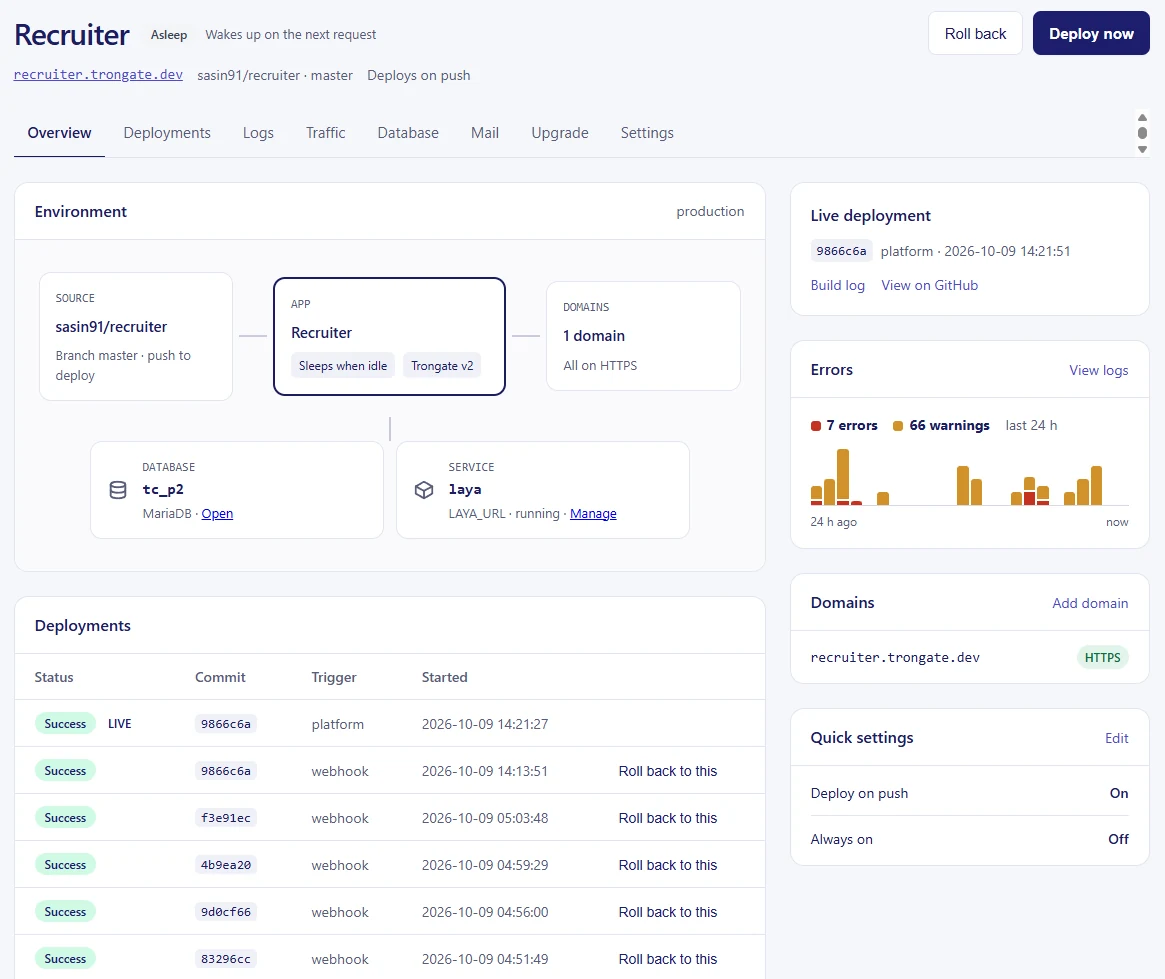
Rollbacks get the same check. You can still roll back to any earlier build by hand, in one click and without a rebuild.
Logs and errors #
Each app has a Logs tab with the latest output of the running app. It refreshes every few seconds while you watch, marks each line's level and can hide everything except warnings and errors. Copy last error puts the most recent error, with its stack trace, on your clipboard.
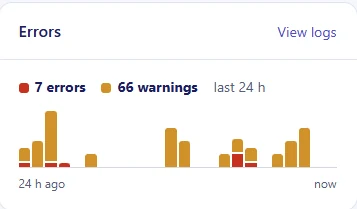
The app page has an Errors card: errors and warnings per hour over the last 24 hours. A spike after a deploy is easy to spot. Counting never wakes a sleeping app.
A Database tab #
Every app comes with a MariaDB database, and the Database tab lets you work with it from the panel.
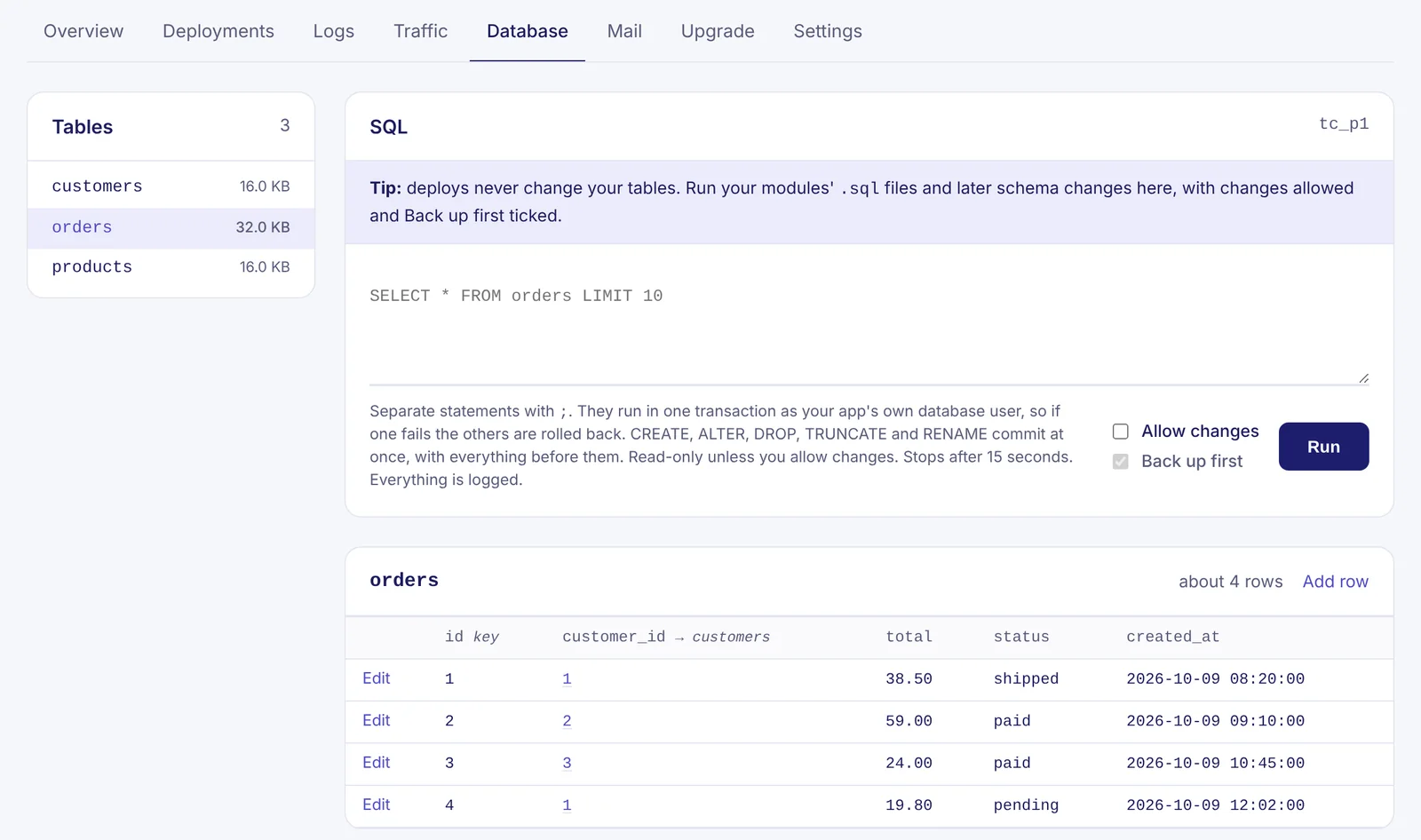
- Browse your tables, and edit, add or delete rows. Foreign keys are links to the row they point at.
- Run SQL as your app's own database user, so it can do exactly what your app can do and nothing more. It is read-only until you tick Allow changes. Several statements run in one transaction: if one fails, the rest are rolled back.
- Back up first is on by default. Before a change runs, we save what it touches, and Restore puts it back. Backups are kept for seven days.
- Every query and edit is logged under Recent activity.
Deploys never change your tables, so this is also where you run a module's .sql file.
Environment variables and secrets #
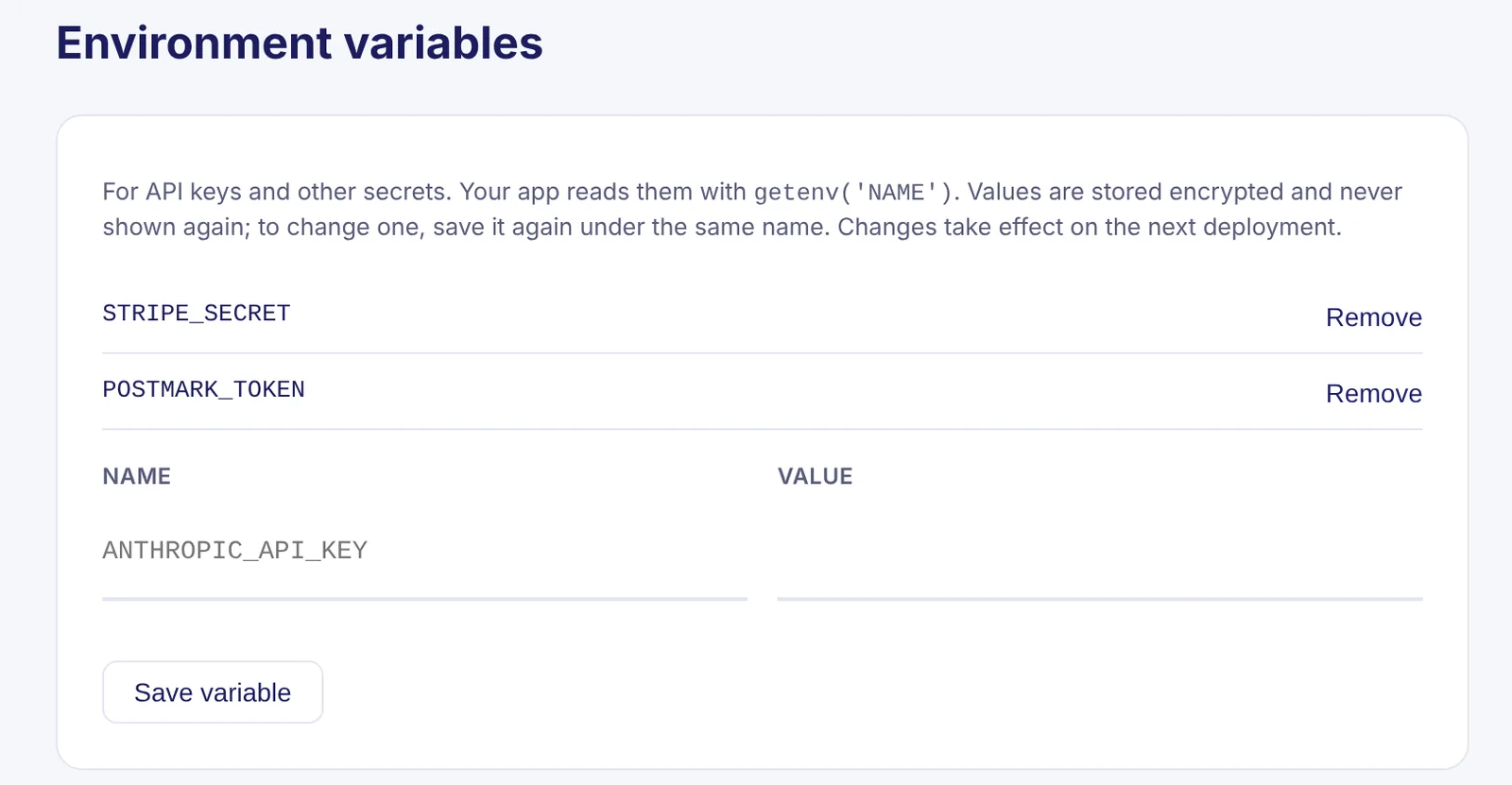
Add API keys and other secrets on your app's Settings page. Your app reads them with getenv():
$stripe_key = getenv('STRIPE_SECRET');Values are stored encrypted and are write-only: nobody, you included, can read one back from the panel. Changes take effect on the next deployment. PORT and a few names the platform sets itself are reserved.
Trongate environment per app #
Each app has an Environment setting with dev, staging and prod, which we write into the ENV define in your config/config.php. The same repository can run as a staging app and a production app without a separate branch. New apps start in dev; switch to prod before you share the address.
Services next to your apps #
A project's page has a Services card. Give a service a name, a container image and the port it listens on, plus any environment variables it needs. Each app in the project gets a {NAME}_URL variable on its next deploy:
$search = getenv('SEARCH_URL');Services run always on, without root, and only the project's own apps can reach them.
Smaller things #
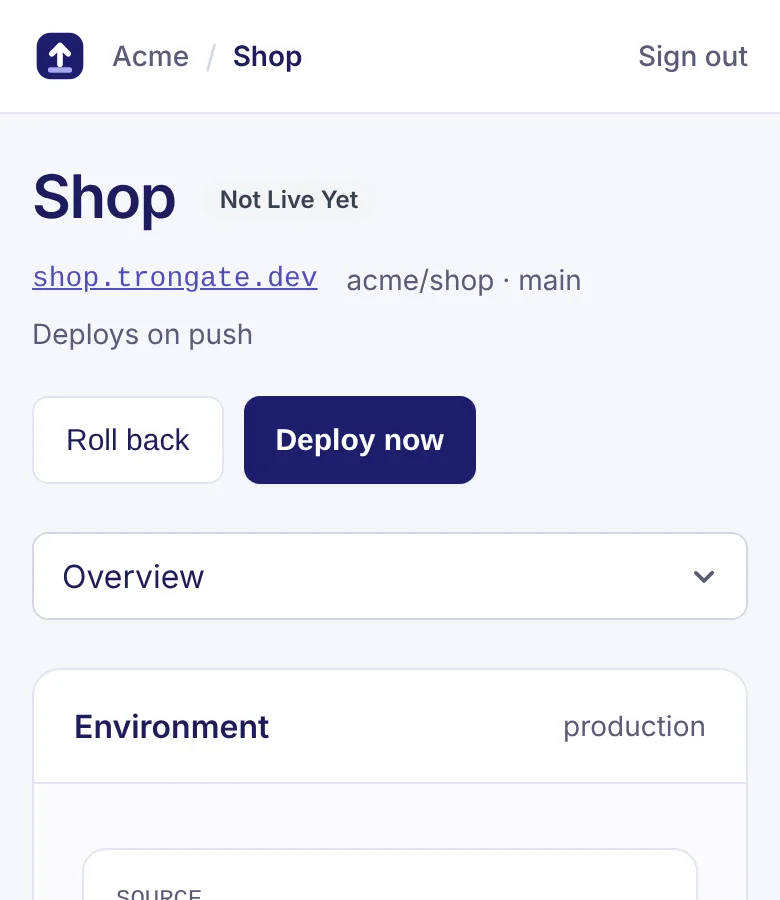
- On phones, an app's or project's tabs are now a dropdown instead of a row you have to scroll sideways.